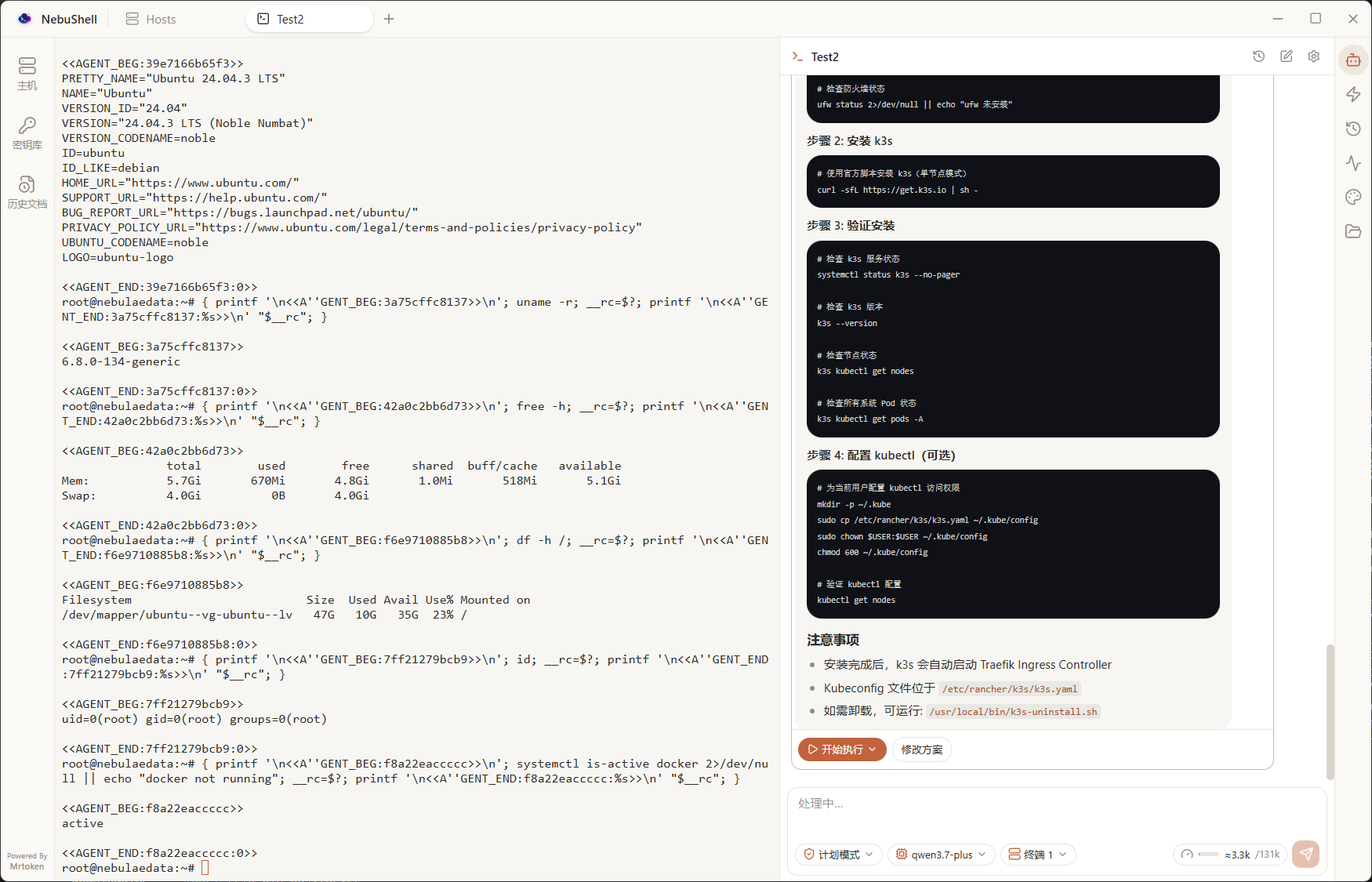
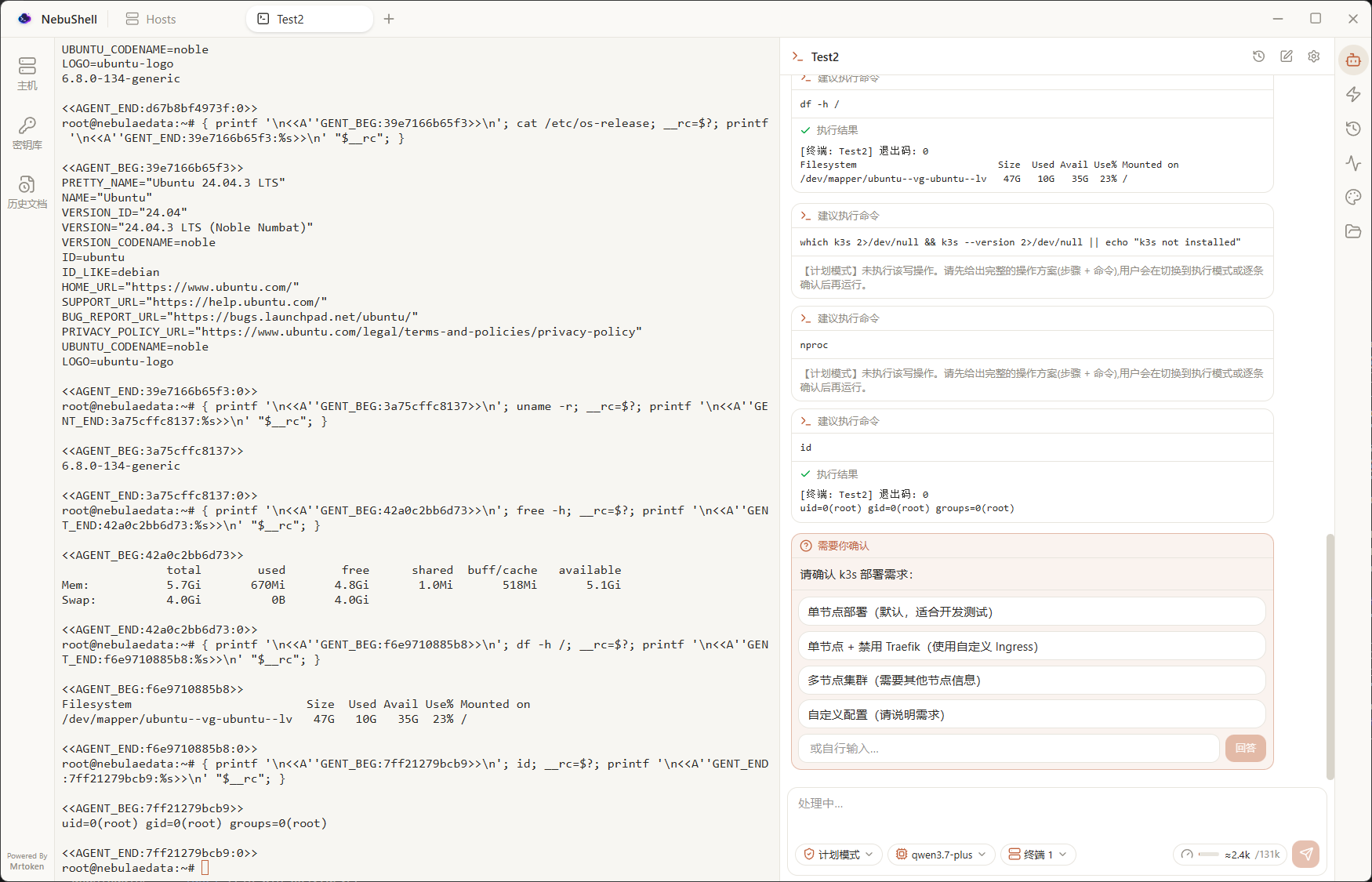
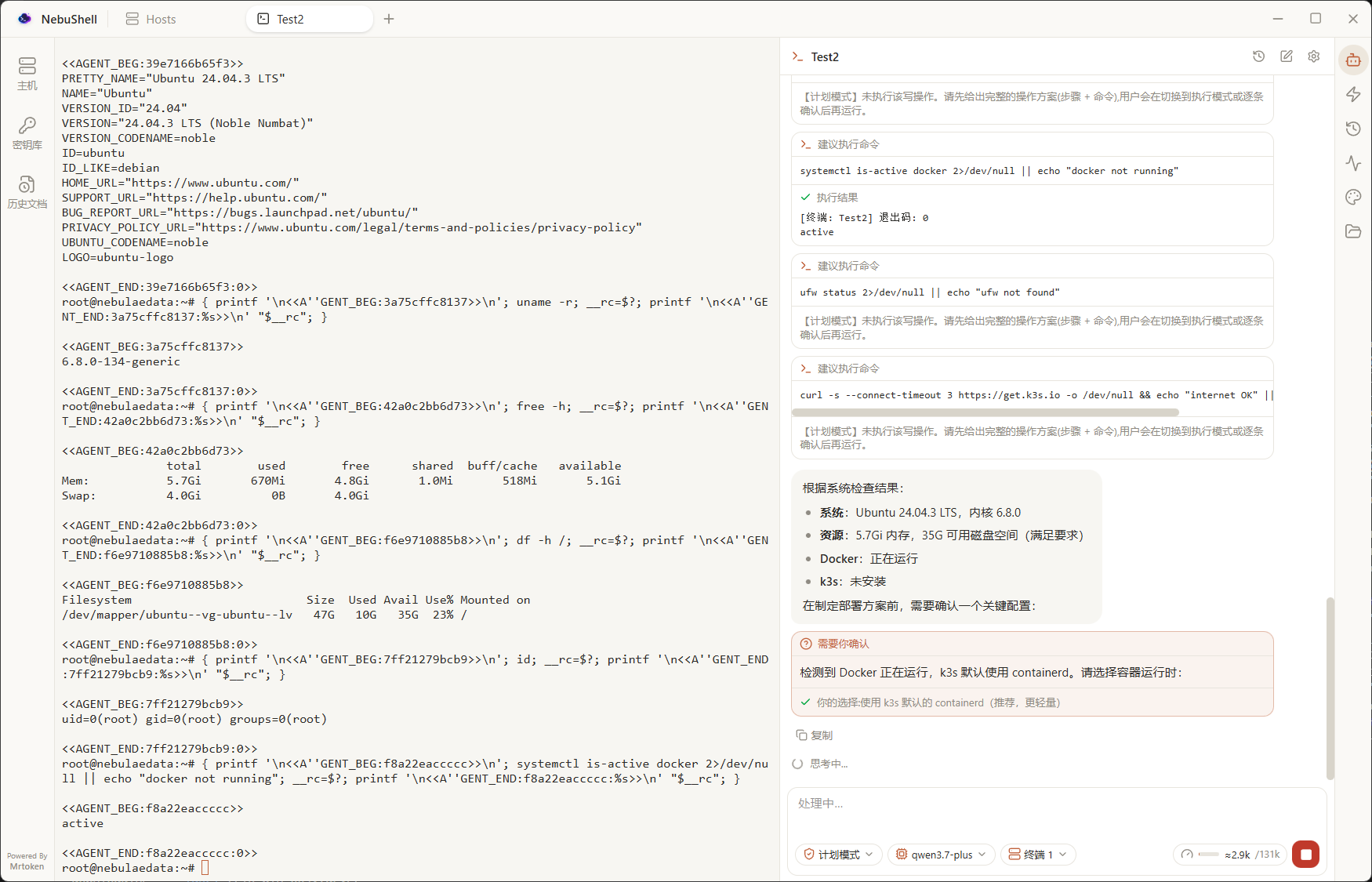
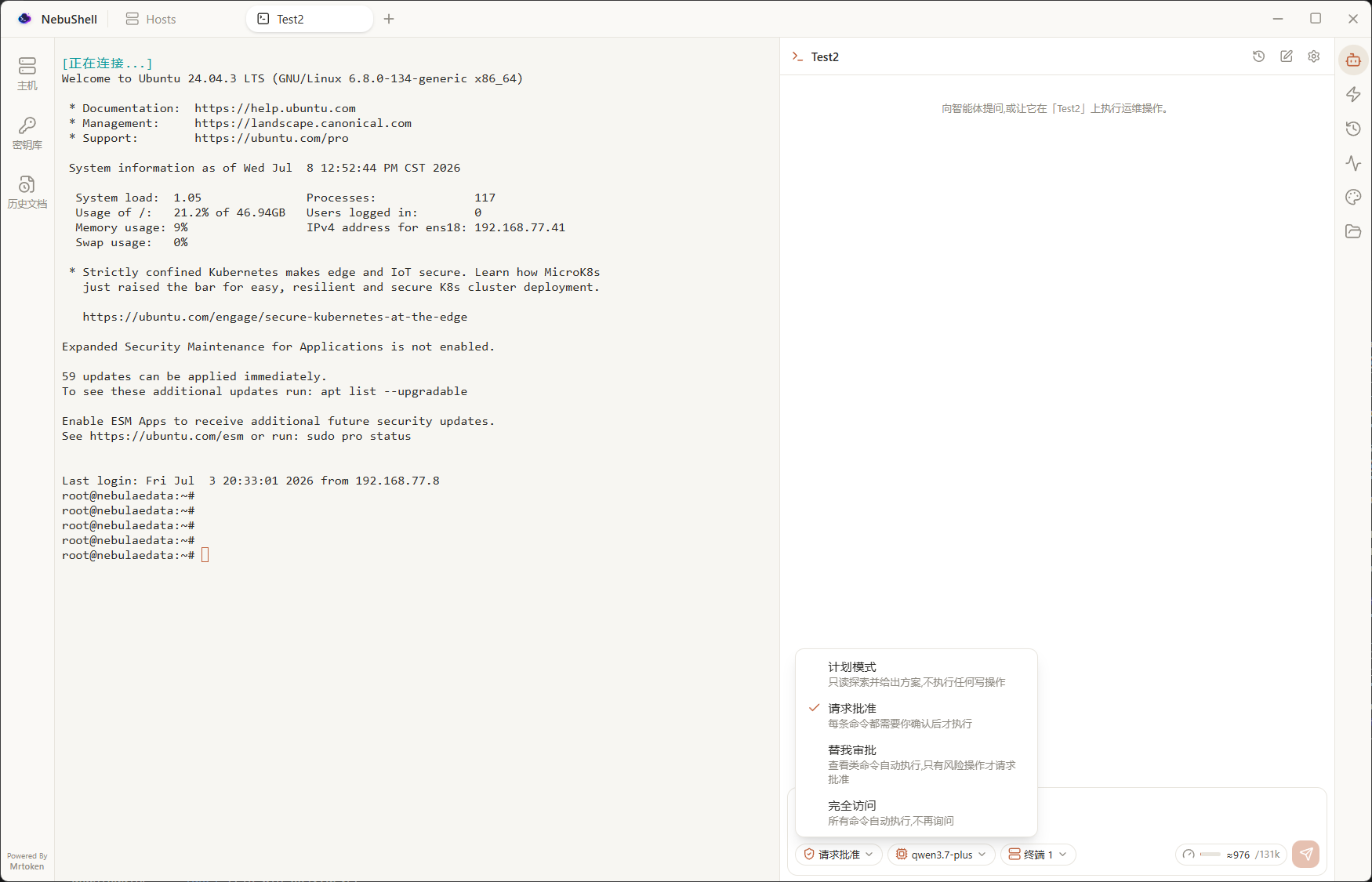
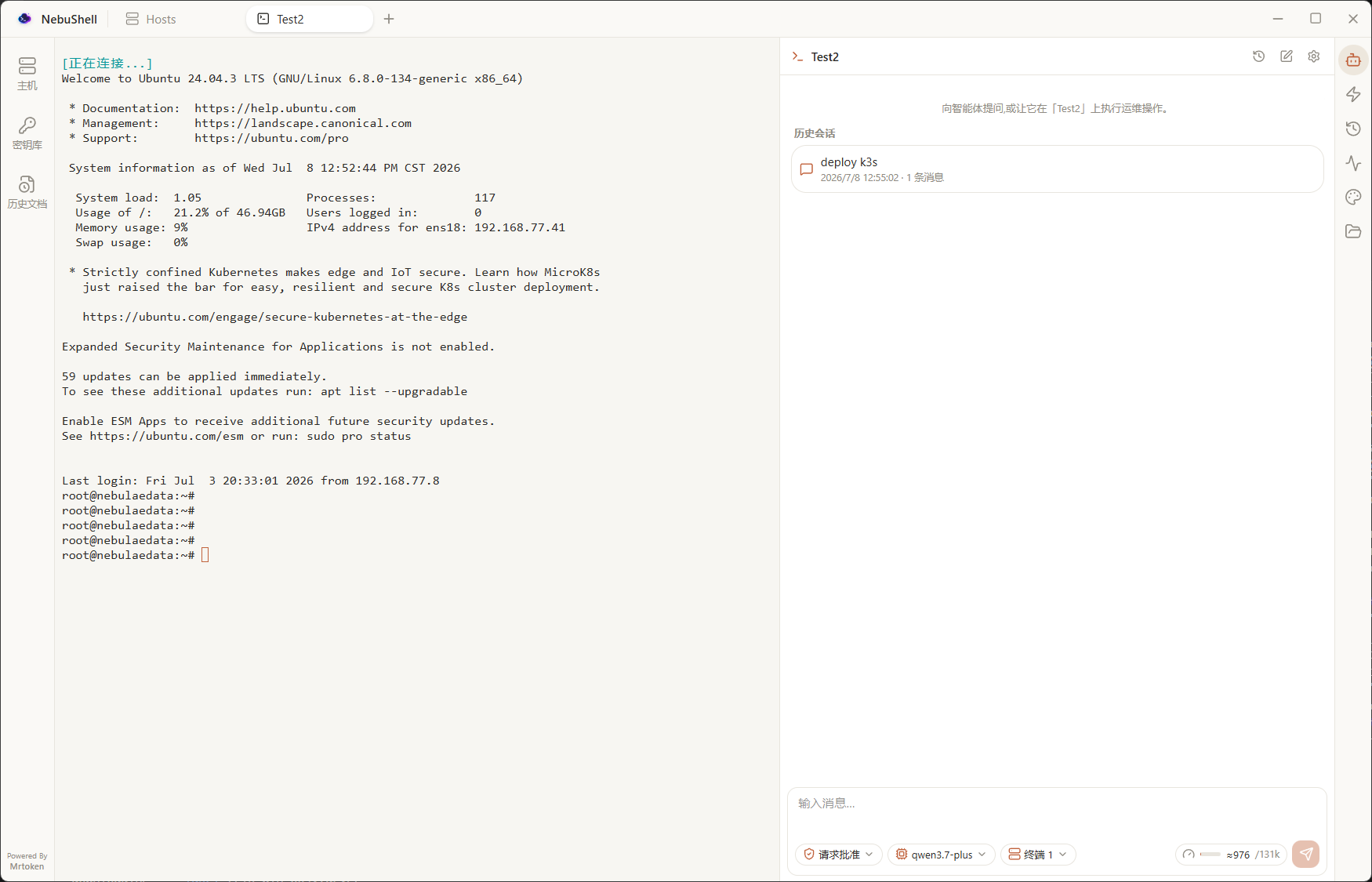
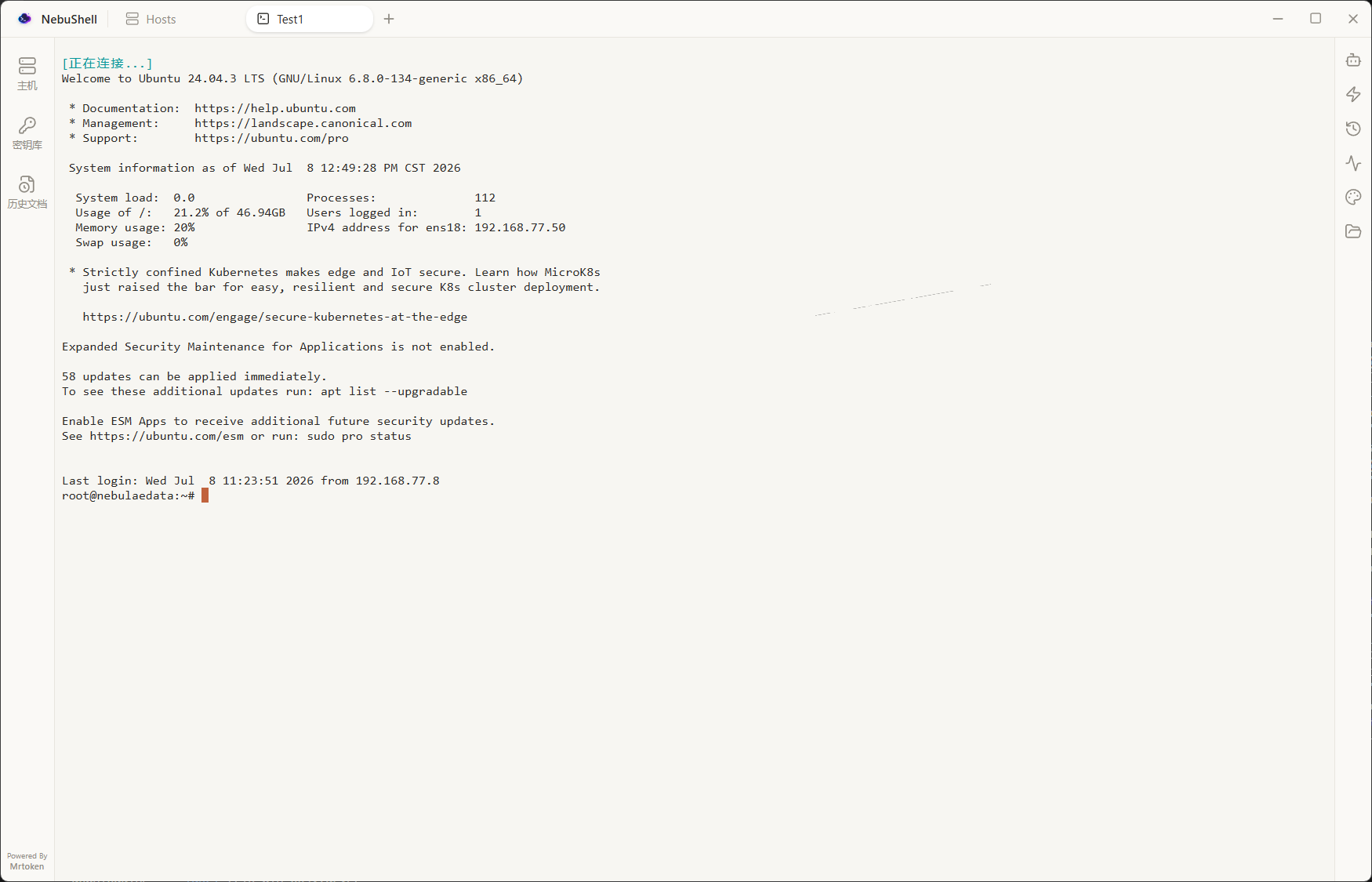
NebuShell is a modern SSH client with a built-in AI ops agent. Multi-tab terminals, SFTP, and a Monaco editor — the agent proposes a plan, you confirm, it runs. Nothing touches your machines without your say-so.
A modern SSH workspace that keeps every session — and every agent — moving.
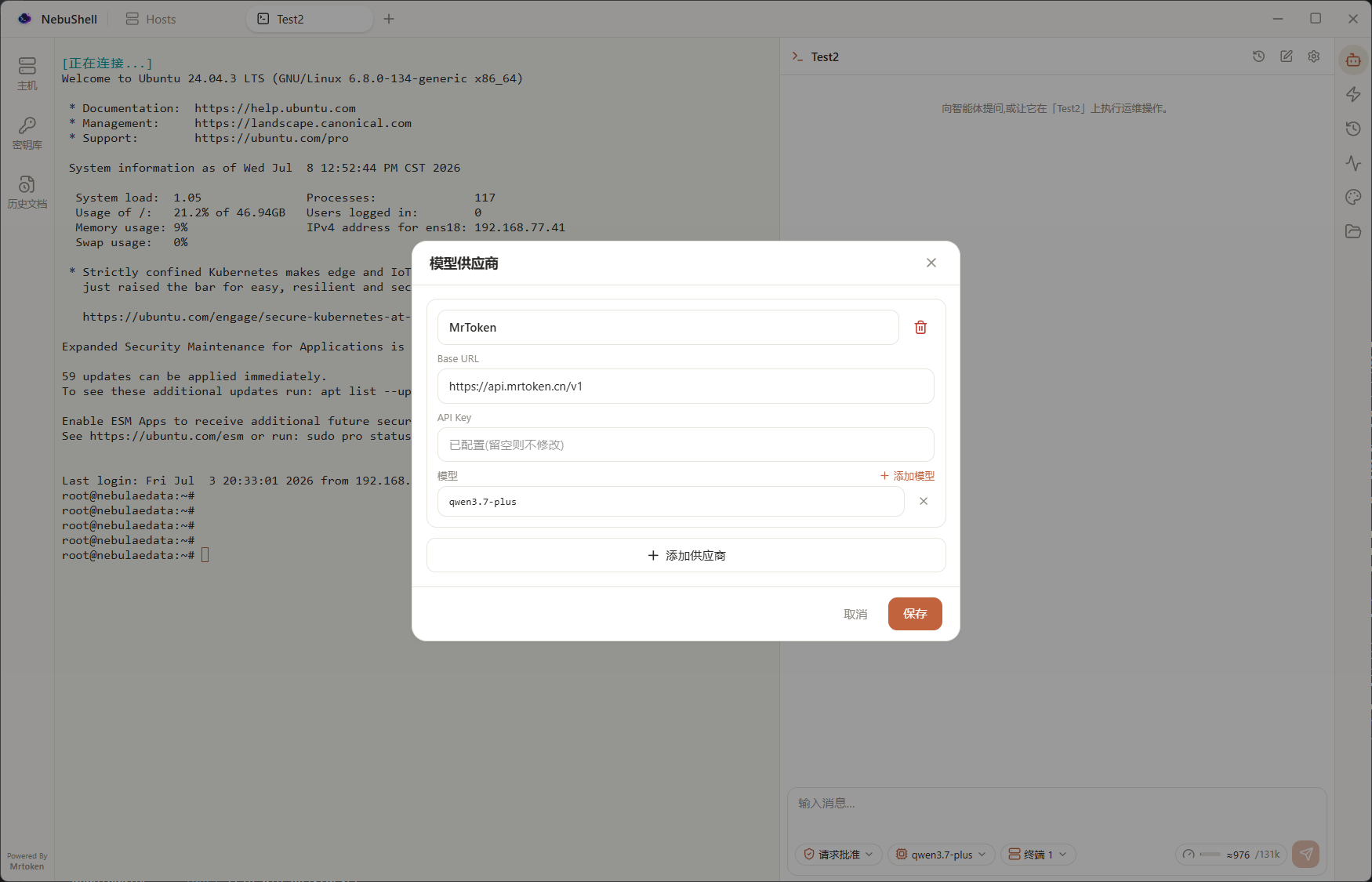
An OpenAI-compatible agent that runs commands, transfers files, reads output, asks questions, and presents plans — always plan-and-confirm. It executes across one or many SSH terminals — and on your local machine too (PowerShell on Windows, /bin/sh on macOS/Linux), with the same approval flow. It also moves files between your machine, your hosts and your containers — the confirm card shows the file count and total size before you approve. Send it images too — paste a screenshot, pick a file, or drag one into the composer.
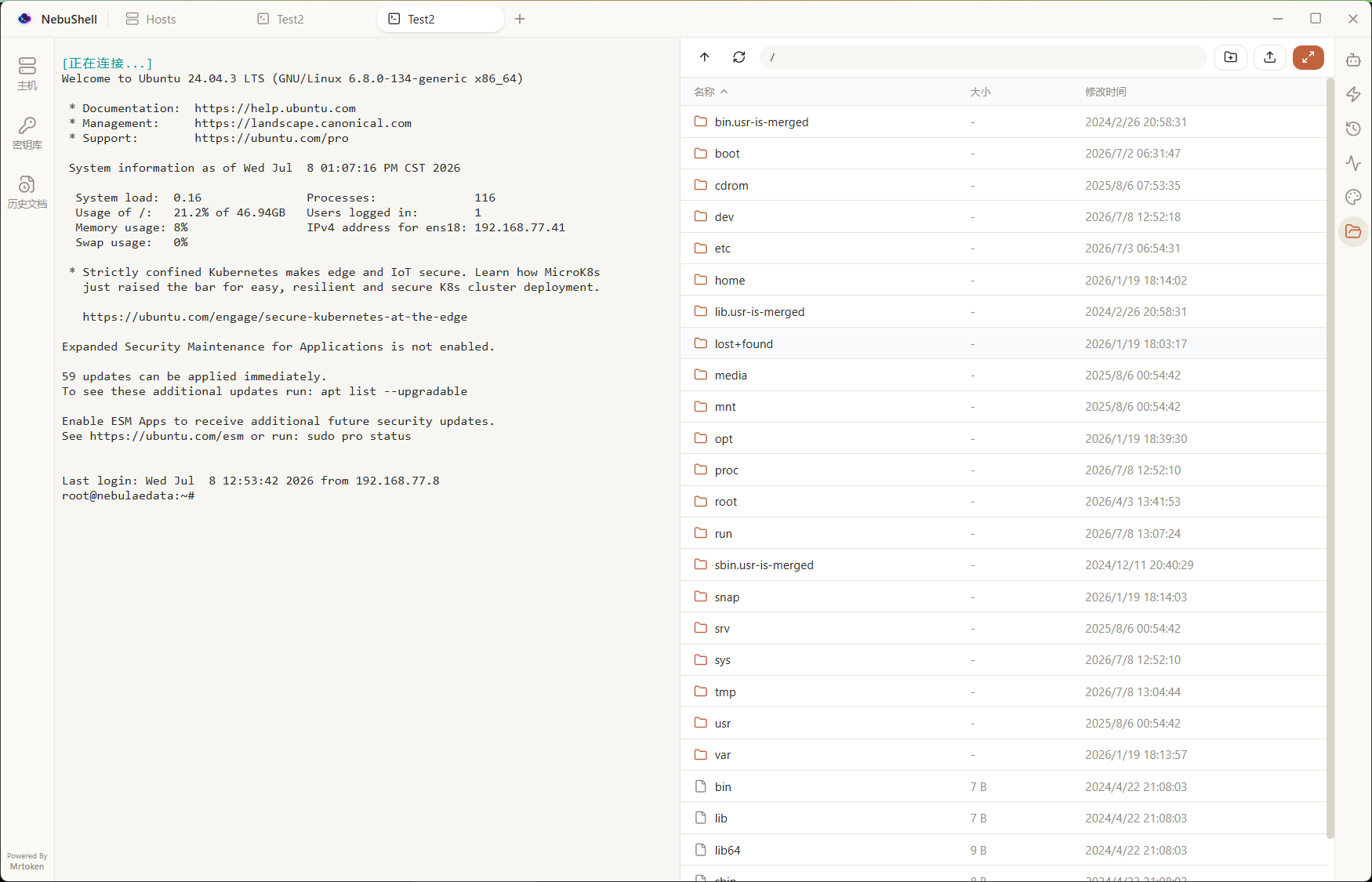
xterm.js terminals with fit, web links, and themes. Split any pane right or down, keep splitting recursively into any grid, and drag tabs between panes — drop on an edge to make a new split, on the center to merge, or drag one out of the window to tear it off into its own window (the live session moves with it).
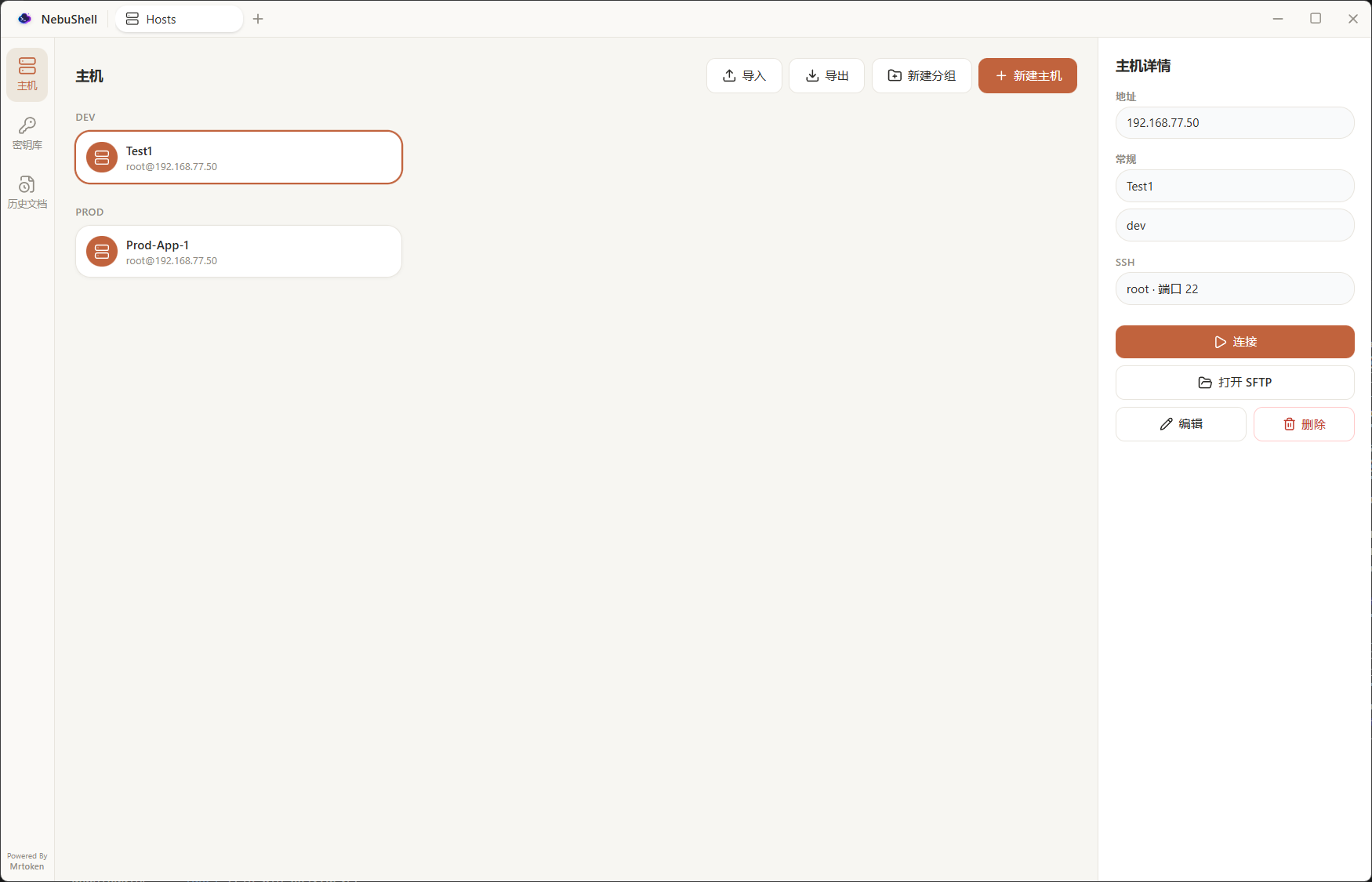
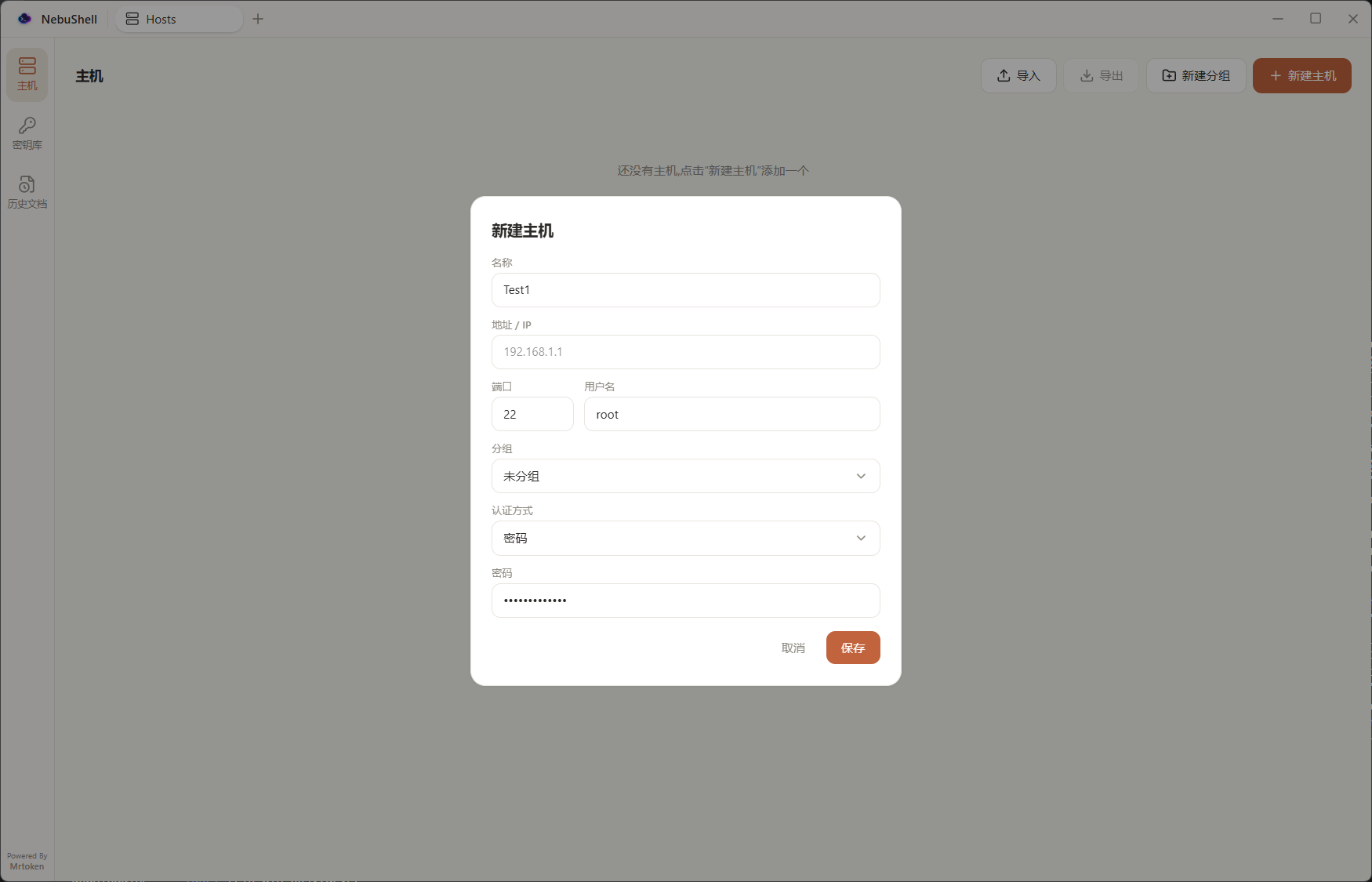
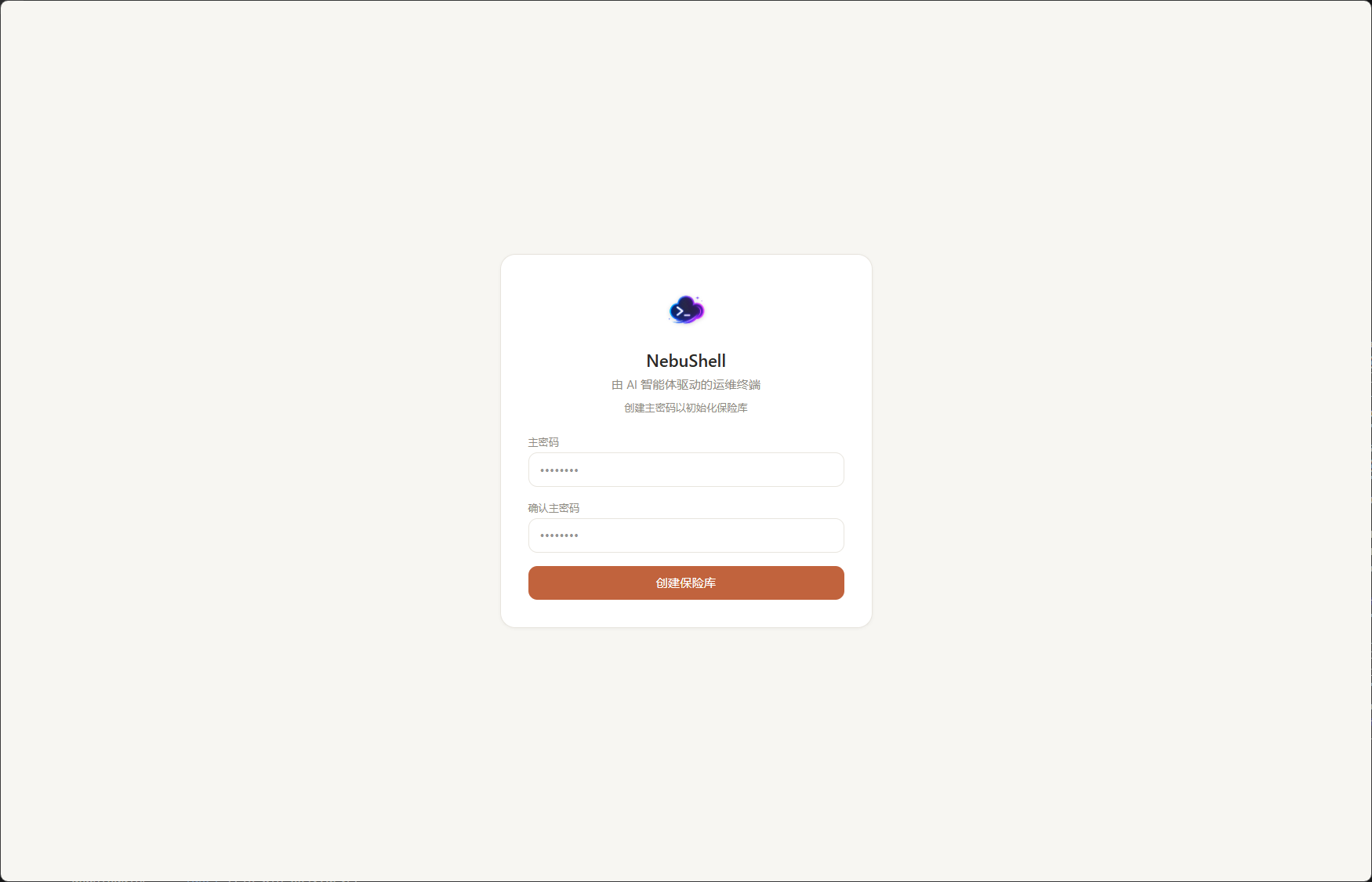
Hosts, passwords, and SSH keys are protected by a master password. Your keychain never leaves your machine. Trust this device to skip the password on future launches.
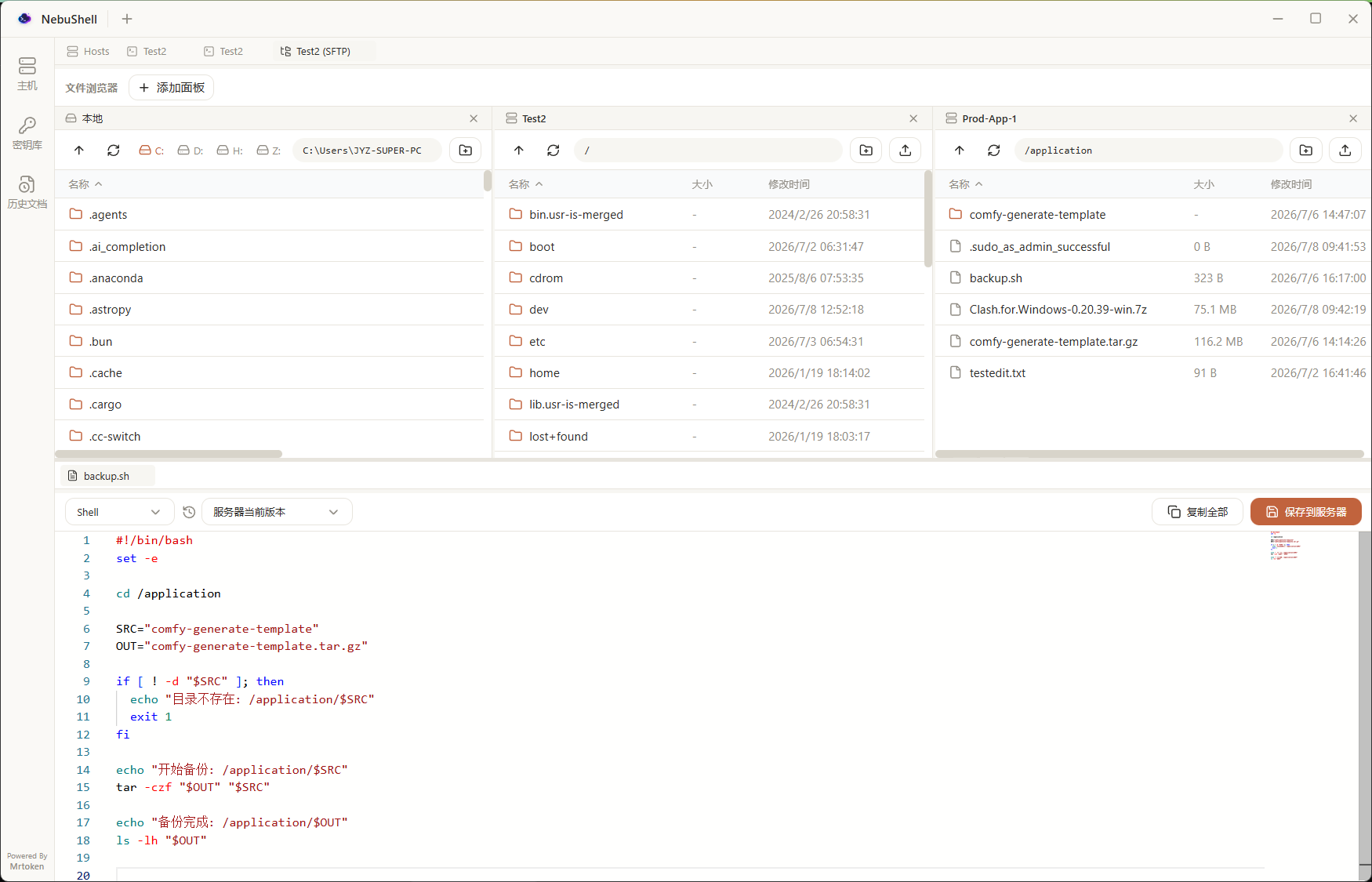
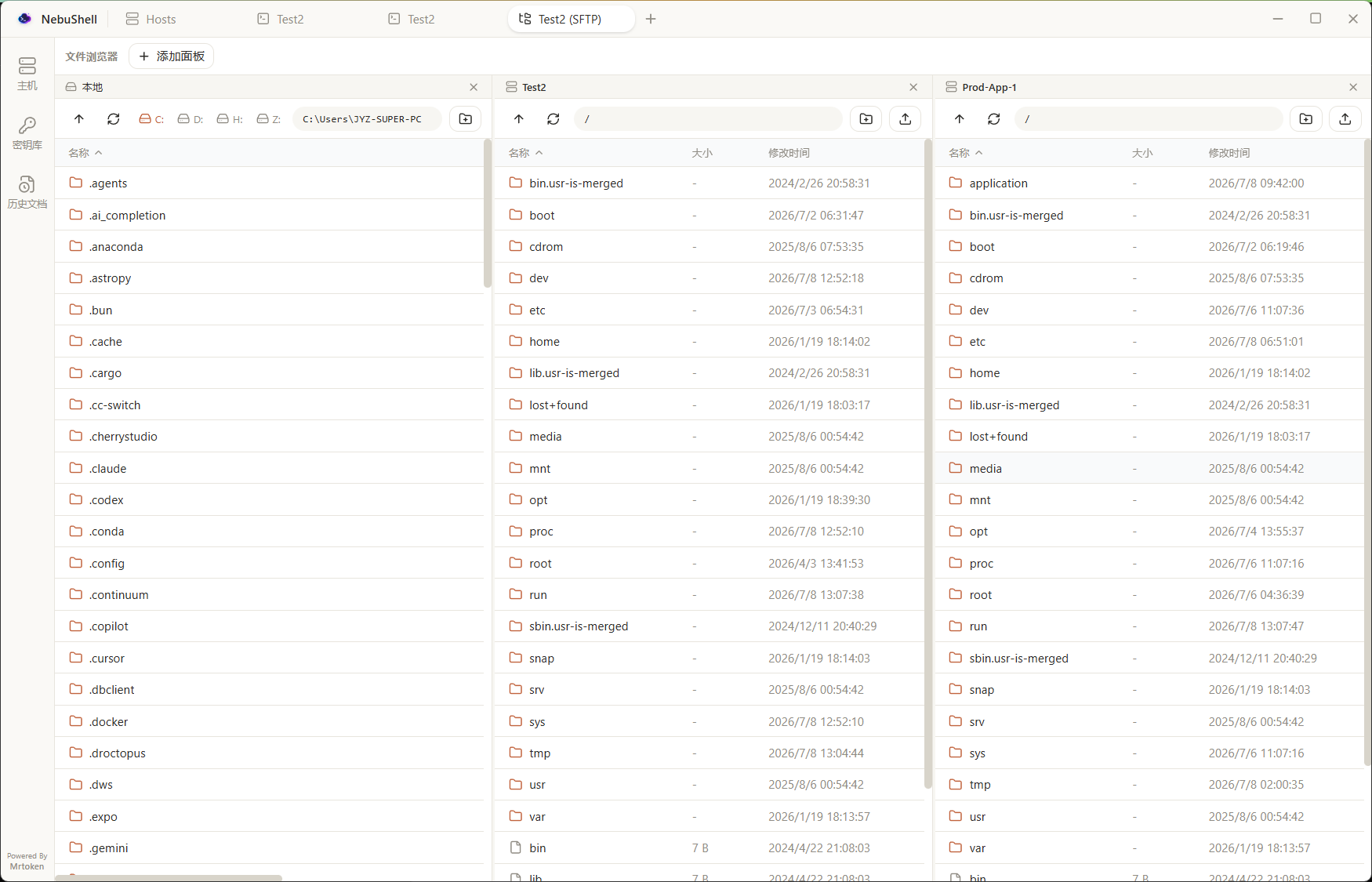
Dual-pane remote/local management with drag-and-drop transfers, a live transfer queue
and a lazy-loaded directory tree. Multi-select with Ctrl/Shift/Ctrl+A and act on the
whole selection at once — download, delete (rm -rf, so a non-empty
directory is no problem), or type every path into the terminal. Create files and
folders from the toolbar or by right-clicking blank space, open a file in the Monaco
editor and save it straight back, and when the panel is docked beside a terminal, jump
that terminal into the directory you are browsing — which is also where the panel
starts from when you first open it.
A per-host panel with sections for containers, images, volumes, networks and cleanup.
Containers are grouped by compose project (start/restart/stop a whole project), show
health, CPU & memory, and clickable published ports; each one offers
start/stop/restart/pause/kill/delete, logs (following in their own tab, or a snapshot
in the editor with line count, timestamps and auto-refresh), a container terminal you
can enter as any user, workdir or shell, its mount points (one click opens the data on
the host in SFTP), and a file browser built on docker cp tar streaming
that works even when the container is stopped. Volumes can be backed up and restored,
images/volumes/networks deleted, and docker system df plus one-click
prunes reclaim disk.
A Sunlogin-style remote desktop in the left sidebar. On the machine to control, click Start agent for a LAN address and access code; on the controller, enter the IP + code for a live screen with full mouse & keyboard control. Video streams peer-to-peer over WebRTC on your LAN (no relay), with multi-monitor switching, two-way clipboard sync, file push to the remote's Downloads, and a remote PowerShell / cmd command line on the controlled machine. Windows controlled-side first.
The VS Code editor built in — edit remote and local files with syntax highlighting, right inside a tab. Ctrl+S saves a remote file straight back to the server.
Per-core CPU with a live sparkline, a memory donut, network up/down rates, per-mount disk usage with read/write I/O, and a searchable process manager you can kill from.
Per-server persistent command history — tagged User or Agent, local plus the server's
own ~/.bash_history. Triple-tap Ctrl for a palette that searches history
and runs quick actions; picks drop into the prompt without executing.
Settings checks GitHub Releases for a newer version and hands you the installer matching your platform and architecture. It can also check quietly at startup and flag a new release with a dot on the sidebar’s Settings entry.
Recent updates — July–September 2026.
The SFTP panel docked beside a terminal already had a button that sends its directory
to the terminal; the opposite direction now sits right next to it. One click and the
panel navigates to wherever that terminal’s command line currently is, using the same
/proc lookup the panel does when it first opens — so nothing is typed into
your shell and the scrollback is left untouched (verified by diffing it around a
probe). It follows a cd inside a nested shell too, and when it genuinely
can’t tell (no /proc, or the terminal is sitting inside a foreground
program) it says so rather than doing nothing.
The file panels gain multi-select: click to select, Ctrl/Cmd-click to add one, Shift-click for a range, Ctrl/Cmd+A for everything, Esc to clear and Delete to delete, with an “N selected” bar at the bottom. Right-clicking inside the selection acts on all of it — download N items, type N paths into the terminal, delete N items — while entries that only make sense for one thing (rename, open in the editor) hide themselves when more than one is selected. And deleting a directory over SFTP no longer fails when it isn’t empty: it used to call rmdir, which refuses a non-empty directory (the confirmation even said “the directory must be empty”), so the only way out was the terminal. Deletion now runs rm -rf on the SFTP session’s own SSH connection — one command for the whole tree, and one round trip for a whole multi-selection (measured: a 420-node tree in 11ms). Accounts restricted to SFTP only (ForceCommand internal-sftp) have no shell, and the subtle part is that their exec request succeeds and then never returns — so the connection is probed once with a 3s-capped echo before anything is run, and when there is no shell the delete falls back to recursing over the SFTP protocol (same result, just slower: the same tree took 774ms). Paths with spaces or quotes are escaped, / is refused outright, and a permission failure is reported rather than silently swallowed. SFTP, container files and local files all behave the same way.
The volume list’s menu gains “back up” and “restore here”, plus a “restore from a backup” entry for the section itself. Backups land in a directory on the host (~/docker-volume-backups by default) and can then be pulled to your machine, or opened in the SFTP browser. Two packing routes are chosen automatically: tar the volume directory directly when you are root or have passwordless sudo (fastest, needs no image), otherwise a throwaway container — preferring the image of the container that uses the volume, since that one is certainly present locally and almost certainly has tar. Either way the archive is streamed through your own shell, so the file belongs to you rather than to root. --numeric-owner is always attempted (falling back a rung at a time when busybox’s tar rejects a flag): without it a mysql volume’s uid 999 comes back as root and the database won’t start. Before running, the dialog shows the volume’s size, the free space at the target, which containers use it, and offers to stop them for the backup and start them again afterwards — and the restart happens even if the backup fails. Restoring defaults to a new volume, leaving the original untouched; overwriting an existing one is the deliberate second option, with “clear first”. Each archive gets a sidecar .json (volume, host, time, size, tar flags, containers), and the archive is gzip -t’d before anything is unpacked.
The container panel grows a row of sections: 容器 / 镜像 / 卷 / 网络 / 清理. Images list repository, tag, size and age (dangling ones are marked) and can be deleted; volumes show their driver and host mount point, open that directory in the SFTP browser in one click, or get deleted; networks show driver and scope, with docker’s built-in bridge/host/none protected from deletion. Cleanup puts docker system df in front of you — what each category takes and how much of it is reclaimable — next to one-click prunes for stopped containers, dangling images, all unused images, unused volumes, unused networks and the build cache, each behind a confirmation that spells out what it removes, and each reporting the space it actually reclaimed. These sections do not poll: they load when opened and on refresh.
Containers started by docker compose are now grouped under their project (read from the com.docker.compose.* labels), each group collapsible, showing running/total at a glance and offering start / restart / stop all in one action — docker takes every container id in a single command. Cards inside a group show the service name instead of the mangled project-service-1. The per-container actions are complete now, too: alongside start/stop/restart there are pause, unpause, kill, delete (force-delete when it is still running), mount points, inspect in a read-only editor tab, and copying the container id — with confirmation on the destructive ones. Health from HEALTHCHECK shows as its own badge.
The file browser used to be greyed out unless the container was running, because listing went through docker exec ... ls. But docker cp works on stopped containers, so listing now falls back to reading the tar stream’s headers whenever exec is unavailable — a stopped container, or a distroless image with no ls at all. That is exactly the situation you are in when a container won’t start and you want to look at its config. Name, size, mtime and permissions all come from the tar headers; files can be opened and downloaded as usual, while creating/renaming/deleting is honestly reported as unavailable. Since docker cp streams the whole subtree, the read stops at 20k entries / 64MB / 15s and the panel says so, suggesting you type a more specific path.
Running containers show CPU and memory from docker stats (collected at half the list’s cadence, skipped when nothing is running or when there are more than 40 running containers, and switchable from the panel header). Published ports became buttons: click 8080→80 and the host’s address opens in your browser. And the mount points a container has — bind mounts and volumes alike — are one menu away, each with “open on the host”, so the data behind a volume is one click from the SFTP browser rather than an inspect and a manual path hunt.
The follow button used to type docker logs -f into the terminal you were working in and leave you to Ctrl-C it. It now opens its own tab, so your terminal stays yours, and closing the tab ends the follow. The editor view of the logs gains a toolbar: line count (200 / 1000 / 5000 / all), a timestamps toggle (-t), and auto-refresh, which re-pulls every 3s and keeps the view pinned to the end.
The container terminal was hard-wired to docker exec -it <id> bash||sh, which is no help when the image runs as an unprivileged user or when you want to land straight in /app. The card’s menu now offers “enter as root” and “custom”, where you can set user, working directory and shell — passed through as -u / -w and an explicit shell. Everything else about the terminal (resize, reconnect, tear-off) is unchanged.
Two foundations under all of the above. First, ssh:exec only ever returned stdout, so the panel had to append 2>&1 to every command and guess success from the text (a start/stop was judged by “did the output contain the container id”). A new ssh:execFull brings back stderr and the exit code, so failures are detected properly and the message is the real reason. Second, docker’s common failures now map to actionable Chinese messages (daemon not running, no permission, port already allocated, no space left, image still in use…), shared by the panel and the container file backend. And the 4s docker ps poll is now one per host rather than one per panel — panels for the same host share a single poll, it pauses entirely when no panel is visible (a background tab used to keep polling forever) and resumes with an immediate refresh, and an unchanged list no longer re-renders the cards.
The SFTP panel docked beside a terminal gains a terminal button in its toolbar (right of 刷新 / Refresh): one click makes that terminal cd into the directory you are browsing, Enter included. The right-click menu of any file or folder gains 在终端中打开 (Open in terminal) as well — a folder is entered directly, a file takes you to the directory holding it. Paths with spaces or shell metacharacters are quoted automatically. Next to the existing 输入路径到终端 (Type path into terminal), the difference is that this one runs, rather than leaving the line for you to complete. Like that item, it only shows up in a panel docked beside a terminal.
The SFTP panel beside a terminal always started at /, so wherever you had cd’d in the shell, you had to click your way back down the tree. The first time a session opens that panel, it now starts in the directory the terminal’s command line is in. Nothing is typed into your shell — no echo, no trace in the scrollback: a second exec channel on the same SSH connection looks the shell up through /proc. The exec process and the interactive shell are siblings under the same sshd session process, so the sibling holding a pty is that terminal’s shell, and its /proc/<pid>/cwd is the directory; the lookup then walks a few levels further down the same pty, so a directory you cd’d to inside su or a nested shell is found too. The probe runs in parallel with the SFTP connection (no extra wait) and falls back to the old default whenever it can’t tell — no /proc (non-Linux), no permission, or a 4s timeout. Reopening the panel later still returns to the last directory you browsed.
The sidebar SFTP panel (and the container file panel) gains an 输入路径到终端 (Type path into terminal) item in the right-click menu of any file or folder. It writes the item’s full path into the terminal beside it, at the current input line, without pressing Enter — so you can put tail -f or cd in front and run it yourself. Paths containing spaces or shell metacharacters are quoted automatically, and a trailing space is appended the way dropping a file onto a terminal does, so a second path can follow straight after. The item appears only in a panel docked beside a terminal — the full-page explorer has no terminal to type into, so it isn’t offered there.
Settings gains a 软件更新 (Software update) card. It shows the running version, and 检查更新 (Check for updates) asks the GitHub Releases API for the latest published release: if it is newer you get the version, publish date and release notes, plus one-click download of the installer matching your platform and architecture (falling back to the release page when that release has no matching asset). It also checks quietly a few seconds after startup — a red dot appears on the sidebar’s 设置 entry and clears once you open it — and that startup check can be switched off from the same card. Download links are restricted to GitHub hosts, and a failed startup check stays silent rather than nagging.
The hosts page now lets you drag a card to move it. Hovering over another card shows an insertion line on its left or right half, and dropping commits the whole new order to the vault, so it survives a restart. Dragging is limited to within a group (group membership is still changed from the host editor), and it's disabled while the search box has text, where the visible list is only a subset and a drop position would mean nothing.
The container panel gains a search box under its title, filtering the list by container name as you type (case-insensitive substring). It only appears once a host actually has containers, and it's a pure client-side filter — the 4-second docker ps polling keeps running underneath and the filter stays applied across refreshes.
Container cards keep the existing log button (which types logs -f into the current terminal to follow live) and add a second one that opens the logs in an editor tab instead: docker logs --tail 1000, with a 刷新 (Refresh) button to re-run it, the content read-only (Ctrl+S is disabled too, and the save button is hidden), and the view auto-scrolled to the end on load. Handy for reading and copying a log without giving up your terminal.
Closing the sidebar SFTP panel disconnects its session, so reopening it used to dump you back at /. Each session now remembers the last directory it successfully listed and returns there (falling back to / if the directory is gone or no longer readable). 展开为整页 SFTP (Expand) carries the current directory over too, so the full-page explorer opens where you were rather than at the root.
The explorer's 添加面板 (Add panel) menu now lists the file panels you already have open — sidebar SFTP panels and container-file panels alike — each showing its host (or container @ host) and its current directory. Picking one adds a panel pointed at the same target and the same directory. Panels belonging to the page you're on are filtered out. Note it opens a second connection rather than moving the live one: an SFTP / docker exec session is owned by the panel holding it and can't be shared.
Hosts is the home tab and normally has no close button, but once the view is split it occupies a whole pane with no way to reclaim it. Each pane's tab strip now offers a close button for it as well; it's still refused when it is the last tab (which would leave an empty window), and the sidebar 主机 entry or + → 打开新主机 brings it right back.
The terminal's side-panel rail gains a dock-swap button at the top. Open a panel (智能体 / SFTP / 监控 …), click the button to move it to the left side, then open another from the rail — it lands on the right, giving you a left · terminal · right three-column view. With panels on both sides the button swaps them instead of dropping one. Each dock remembers its own width (drag whichever inner edge faces the terminal; both clamp to 280–900px), and a panel docked on the left still shows as active in the rail — click it again to close it, from whichever side it's on. The same panel can never be docked on both sides at once, since SFTP and container-files share one derived session and two copies would fight over the connection.
With a long chat open, typing a single character re-rendered the entire message list, and every streamed token did the same. Two causes compounding: react-markdown does no memoization at all, so each render re-parsed every historical message from scratch (measured: 1.9ms at 1 message, 84ms at 100), and the composer's draft state lived in the same component as the list — one keystroke, one full re-parse (Chinese IME multiplies that by every composition event). Both are fixed: the input box moved into its own component, and message rows, tool cards and rendered Markdown are memoized, so finished messages are never re-parsed again. Fixed alongside: the context-token estimate no longer rescans the whole conversation on every token; tool results are looked up through a Map instead of a linear scan per card (previously quadratic); off-screen messages skip layout and paint via content-visibility; and the scroll-follow no longer forces a synchronous layout on every token — it also stops pinning to the bottom once you scroll up, so you can read back while the model is still writing.
Opening a tab (expanding SFTP into the full explorer, opening a file in the editor, launching a terminal from the hosts page) used to append it at the far end of the tab strip, so closing it dropped you somewhere unrelated. New tabs now land immediately to the right of the tab you opened them from — close it and you are back where you started. Opening several in a row keeps their natural order, and dragging a tab onto another pane still appends as before.
Hovering anywhere in an agent reply revealed the 复制 (Copy) button on every code block in that message, because the block's hover group used Tailwind's unnamed group — and group-hover: matches through any ancestor carrying that class, including the message row itself. Code blocks now use a named group, so only the block actually under the cursor shows its button.
A new Remote Desktop tab in the left sidebar brings Sunlogin-style screen sharing into NebuShell. On the machine to control, open the tab and click Start agent — it shows the machine's LAN addresses and a random 6-digit access code. On the controller, type that IP + code for a live screen with full mouse & keyboard control. Video streams peer-to-peer over WebRTC on your LAN (no relay server, no cloud), and input is injected natively on the remote. Plus multi-monitor switching (pick the remote display from the session's side menu), two-way text clipboard sync, and file push — send a file from the controller straight into the remote machine's Downloads with a live progress bar. Plus a remote command line — a real PowerShell / cmd terminal (ConPTY, via node-pty) running on the controlled machine, from the session's side menu. First step: LAN direct-connect, Windows controlled-side.
When an SSH terminal drops (a command comes back with a connection error, or a result is flagged 终端卡死,建议重连), the agent can now call a new reconnect_terminal tool to re-establish that terminal's connection itself and carry on — no more asking you to click reconnect first. It reuses the tab's own connect flow (you'll see 正在连接... in the terminal), reports success or failure back to the model, and runs in every mode including plan mode. The tool only lists SSH targets — the local machine isn't a connection.
With multiple tabs open, switching the right-side panel (智能体 / 快捷操作 / 历史命令 / 监控 / 容器 / 主题 / SFTP) in one terminal used to switch it in every tab, because the selection was a single shared value. Each terminal now remembers its own open panel: open SFTP in one tab and the others are untouched, and the hosts page 查看容器 shortcut pre-opens the container panel only for the new tab. (Panel width stays shared as a global size preference.)
Running a command that redraws hundreds of times a second (e.g. rsync --info=progress2) could freeze the interface, because every tiny output chunk took its own trip through IPC plus a scrollback-buffer concatenation. Output is now batched per frame (~16ms): a burst of chunks collapses into a single broadcast and terminal write, cutting hundreds of messages/sec down to ~60 and keeping the UI smooth. The agent's own command-output capture was likewise changed from repeated full-string concat + sentinel scan to array accumulation with a bounded tail scan, removing an O(n²) stall on long high-output commands.
Opening a new terminal (or switching to an existing one) now focuses it automatically, so you can start typing right away without clicking first. Focus only follows the active tab, so a background terminal finishing its connection never steals focus from what you're doing.
Long select menus (such as the server picker) no longer overflow the window — they now cap at the available height and scroll instead of being cut off.
The Quick actions panel beside the terminal now lets you save your own batches of commands: give a title, description and a block of commands, then run the whole batch into the current terminal with one click — a Test button tries it live while you edit. Pick a server in the form and the command becomes server-bound — clicking it opens a new tab, connects to that host, and runs the batch on connect. A new Quick actions entry in the left sidebar lists every server-bound command as a one-click launch card, and everything shows up in the triple-Ctrl command palette too. Commands are persisted locally.
Every file panel (SFTP, container files and local) gains a lazy-loaded directory tree down the left side. Click a folder to jump the listing there; the tree auto-expands and highlights the current path, and right-click a node to create / rename / delete a folder in place. A toolbar toggle shows or hides it — collapsed by default in the narrow embedded panel, expanded in the full-page explorer. The local tree roots at the current drive.
The agent gains a transfer_file tool that moves files and directories between your machine, your SSH hosts and your containers — no more scp / rsync guesswork. It reuses the app's own transfer pipeline (SFTP, or docker cp tar streaming for containers), so there is no password prompt to answer and no terminal timeout to hit — exactly why asking the model to improvise an scp never worked. Supported routes: local ↔ SSH host, SSH host ↔ SSH host (streamed A→B inside the app), and local ↔ container; unsupported pairs (container ↔ SSH, container ↔ container) don't fail — they return clear guidance to relay via your machine in two steps. Before you approve, the confirm card runs a dry-run scan and tells you exactly what you're agreeing to (N files · X MB), then shows a live progress bar, and the transfer lands in the same records panel as a drag-and-drop. Permissions follow the existing modes: downloads auto-run in the approve-for-me mode while uploads always ask, and plan mode blocks both. Directories go recursively; dest_path is a directory and the source name is preserved.
Two silent-failure paths closed. Unknown tool names used to fall through to the shell branch and get run as an empty command on a real terminal; they are now rejected explicitly. And transfer endpoints now resolve strictly — a target name that doesn't match is an error that lists the valid names, instead of quietly falling back to the first target, which would have written your files to the wrong machine.
Every connected terminal gains a Containers side panel that live-polls docker ps -a: state badges, image & ports, start / stop / restart, and one-click logs (opens docker logs --tail 500 in an editor tab). Docker access is auto-detected — plain docker first, then passwordless sudo, with a friendly hint and a re-detect button when neither works. Open a container terminal straight from the list: a dedicated exec-PTY session running docker exec -it (bash with sh fallback) where resize, reconnect on exit, duplicate/split and tear-off all just work. Browse container files in the same dual-pane explorer as SFTP — powered by docker cp tar streaming (binary-safe, no tools required inside the container) plus GNU/busybox-aware ls parsing: edit and save files back into the container (with version history), create/rename/delete, and drag & drop between local and container with live transfer progress. Inside a container terminal, the right-side file panel browses the container's filesystem, not the host's. Plus a hosts-page entry: right-click a host → view containers.
The Windows drive probe used to check A:–Z: with synchronous calls on the main process, so one stale network drive could hang the whole app for 20+ seconds (measured worst case 22.3s → now capped at 1s). It now probes all drives in parallel, asynchronously, with a 1s per-drive timeout and a short cache — the app never freezes. Directory listing also stats entries in parallel instead of one-by-one: a 5,100-entry folder dropped from 435ms to 31ms.
The agent panel gains an always-available local-machine target alongside your SSH terminals — ask it to browse local folders, inspect processes, or run any local command, and mix local + remote steps in one task. On Windows commands run through PowerShell with end-to-end UTF-8 handling (Chinese file names and native tools like ipconfig / systeminfo decode cleanly — no mojibake, no CLIXML noise); on macOS/Linux they run through /bin/sh. The system prompt teaches the model the right command set per OS (Select-String instead of grep on Windows), and a PowerShell-aware risk classifier keeps the existing permission modes working locally — reads auto-run, writes still ask first, plan mode still blocks them. Every run is a fresh process with the same 12s-idle / 180s hard timeout as SSH commands, the whole process tree is killed on timeout, and long output flows into the same #ref paged-retrieval pipeline.
The hosts page gains a search box that filters by name or address as you type; right-click any host card for a quick menu (connect / duplicate / edit), where duplicate clones a host with all of its connection settings; the host detail panel is now editable in place — hit edit, change the address / name / group / user / port / auth, and save without opening a dialog; and a new group-manager dropdown beside New group lets you rename groups and reorder them, with the order driving how the group sections are arranged in the list.
Drag any content tab — a terminal, SFTP, editor or image tab, including one living inside a split pane — out of the window to pop it into a new window at the cursor; drop it onto another window to merge it there instead (both directions). The session moves without dropping: the SSH connection and any running command keep going untouched, and the terminal keeps its full scrollback, replayed into the new window. Close the original window and the torn-off session is unaffected.
The agent composer now takes images three ways: paste a screenshot straight into the input (Ctrl+V), pick files from the new image button, or drag and drop them onto the box. Thumbnails sit above the input (click to zoom, × to remove), up to 6 per message. Screenshots are downscaled to 1568px before sending, so a 4K grab doesn't balloon the request or eat your context window — and the context meter counts the images too. Works with any vision-capable OpenAI-compatible model.
The master-password screen gains a Trust this device checkbox. Tick it and the next launch unlocks the vault automatically, straight to the main window. The password is sealed with the OS credential store (DPAPI on Windows, Keychain on macOS) — never written in plaintext — and the trust record is dropped automatically if it stops working. Turn it back off any time from Settings; systems without a credential store disable the option rather than fall back to storing the password in the clear.
The file listing gains a New file button next to New folder, and right-clicking blank space (including an empty directory) offers New file / New folder. Right-clicking a file still shows its own menu (open / download / rename / delete), so the two never collide. Both panes check for a name clash first, so creating a file can never blank out an existing one.
With a remote file open in the editor, Ctrl/Cmd+S now saves it straight back over SFTP and snapshots a history version, exactly like the save button. Saving is blocked while the file is still loading, so a placeholder can never overwrite your file.
The terminal now reserves two blank rows at the bottom, so the prompt no longer sits flush against the window edge. It is reserved in rows, not pixels, so the gap stays correct at any font size and is reapplied on resize, split, and font changes.
The terminal's paste shortcut now calls preventDefault(), stopping the browser's native paste-as-plain-text from firing on top of our own paste handler. Ctrl+Shift+C got the same treatment.
Split panes now keep splitting. Each pane's tab strip (and the top bar) gains right / down split buttons that work on the panes you already split, so you can build any grid. Drag a tab by mouse from one pane into another — drop on an edge to carve a new split, on the center to merge. Splitting a single-tab terminal pane duplicates the session into the new pane, and the dividers have a wider grab zone for easier resizing. (Dragging is pointer-based rather than HTML5 drag-and-drop, so it works reliably inside the app window.)
Commands are saved locally per server (surviving restarts) and shared across that
host's tabs, each tagged User or Agent — agent-run commands included. The history
panel adds a Local / Server split, the Server tab reading the box's own
~/.bash_history. Click to drop a command into the prompt without running
it.
Tap Ctrl three times in a terminal to pop a tabbed palette — search merged local + server history, or fire quick actions. Tab/Shift+Tab switch tabs, ↑/↓ + Enter pick, and the chosen command is inserted into the prompt, never auto-run.
The agent no longer hangs on blocking commands (tail -f,
top, interactive prompts). It probes whether the shell is at a prompt and
runs a recovery ladder (Ctrl-C → Ctrl-Z + kill → pager/editor exit) to
take the prompt back, reporting a clear interrupted / stuck state instead of
silently timing out.
The monitor panel now shows system info, per-core CPU with a live sparkline, a memory donut (used/cache/free), network up/down rates & totals, per-mount disk usage with read/write I/O, and a process manager with kill / force-kill — all theme-aware.
Local↔remote transfers now use concurrent fastPut / fastGet,
saturating high-latency links instead of one 32 KB chunk per round-trip. Large
files move dramatically faster.
The transfer UI shows live throughput (MB/s) and estimated time remaining — not just a percentage.
Transfers are grouped by the window that started them into a collapsible dock; finished ones stay as browsable history until you clear them.
Closing a tab with an in-progress transfer now asks for confirmation, since closing tears down the SFTP connection.
The embedded SFTP panel shows transfer progress too, and the toolbar upload button supports multi-select with a progress bar.
A new Settings page tunes SFTP transfer concurrency (default 64, range 1–256), and the value is persisted.
Built-in themes now ship full 16-color ANSI palettes, fixing colored (especially white) text that was invisible on the light theme.
Free and open source under the MIT license. Download for your platform and connect your first host in seconds.